Catch data gaps before they reach your auditor
This month's work closes gaps that used to surface only during assurance: a new screen for checking whether your energy data has actually arrived, a ledger analysis pass that covers every account without duplicate suggestions, and an AI-assisted way to set up your entity and facility structure that still requires your sign-off on every record.
Find your data gaps before you trust the Emissions Hub
Teams have typically discovered a missing invoice or a gap in metered data the same way: an auditor or a reviewer flags it, months after the reporting period closed. There was no single place to check completeness before then.
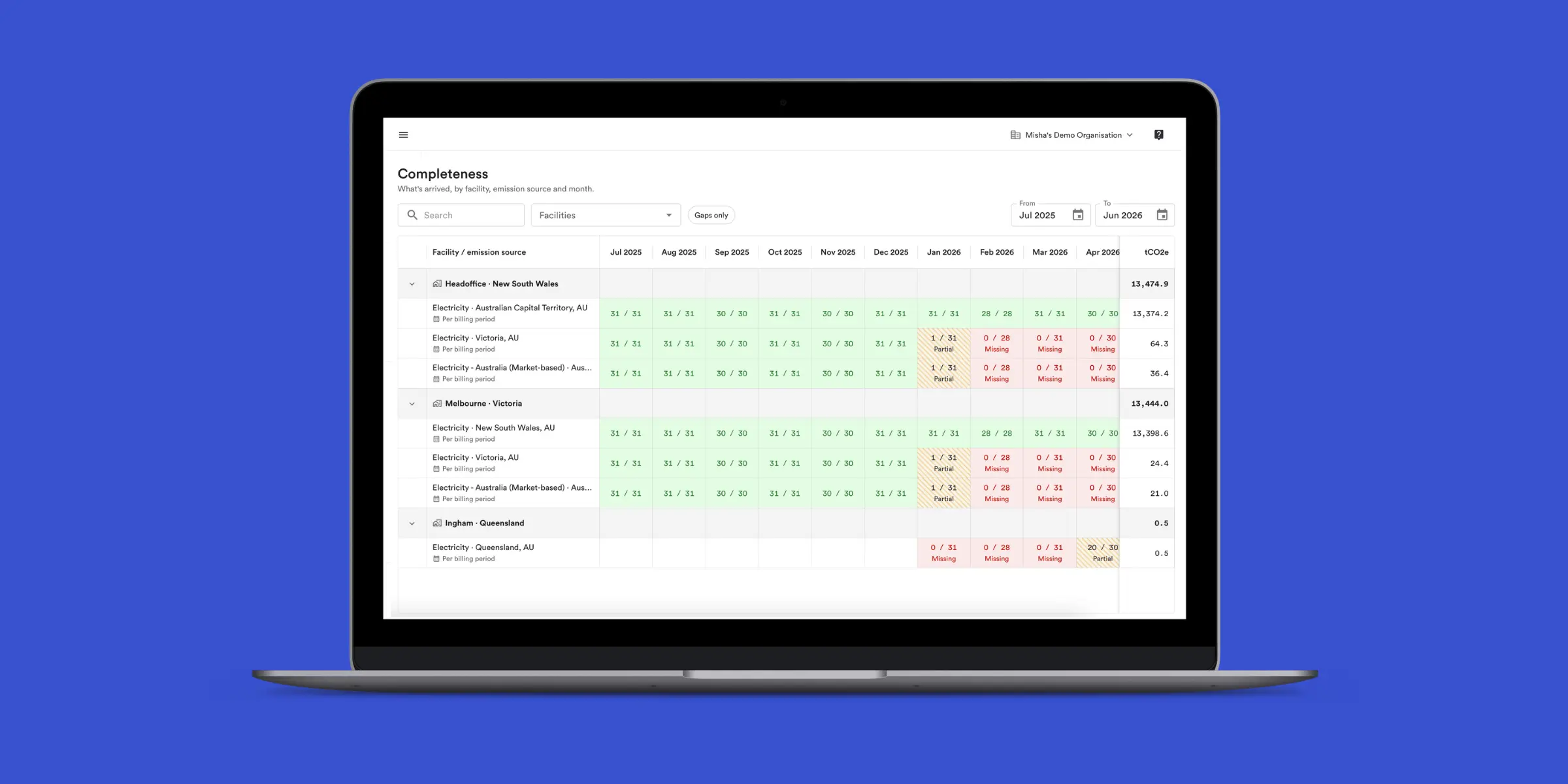
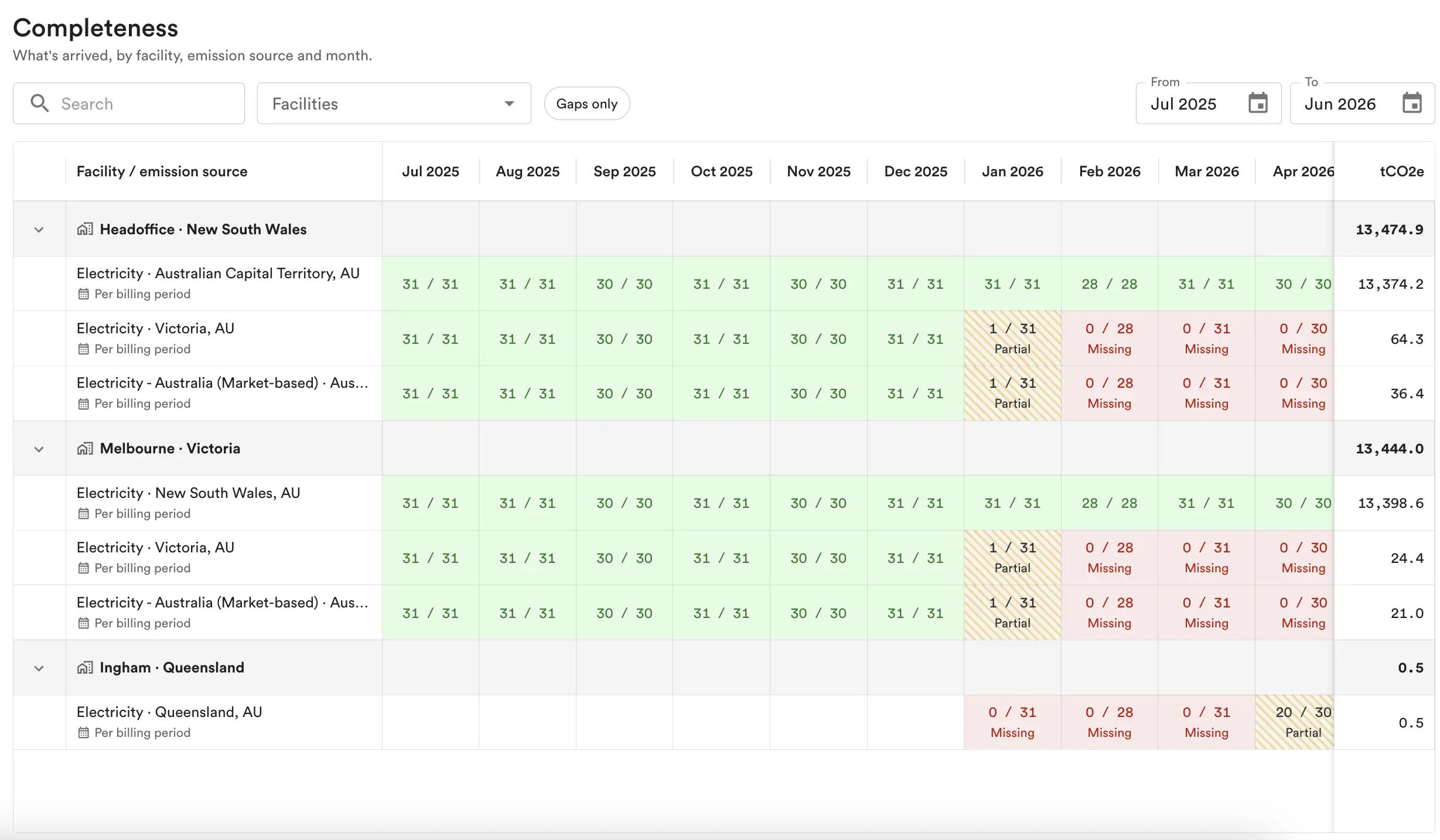
The new Completeness screen gives you a grid of what has arrived, by facility, by source, and by month. Each cell shows whether that facility's data for that month is complete, partial, missing, or still awaited, so you can see where the gaps sit before you rely on the numbers in the Emissions Hub. Facilities are sorted by emissions, so the gaps most likely to matter to your total show up first.
Clicking a cell takes you straight into the Emissions Hub, filtered to that exact facility, factor, and month, so you can go from "something's missing" to the underlying records in one step. Speak to your account manager to have it turned on.
More complete, fewer duplicated GL rule suggestions
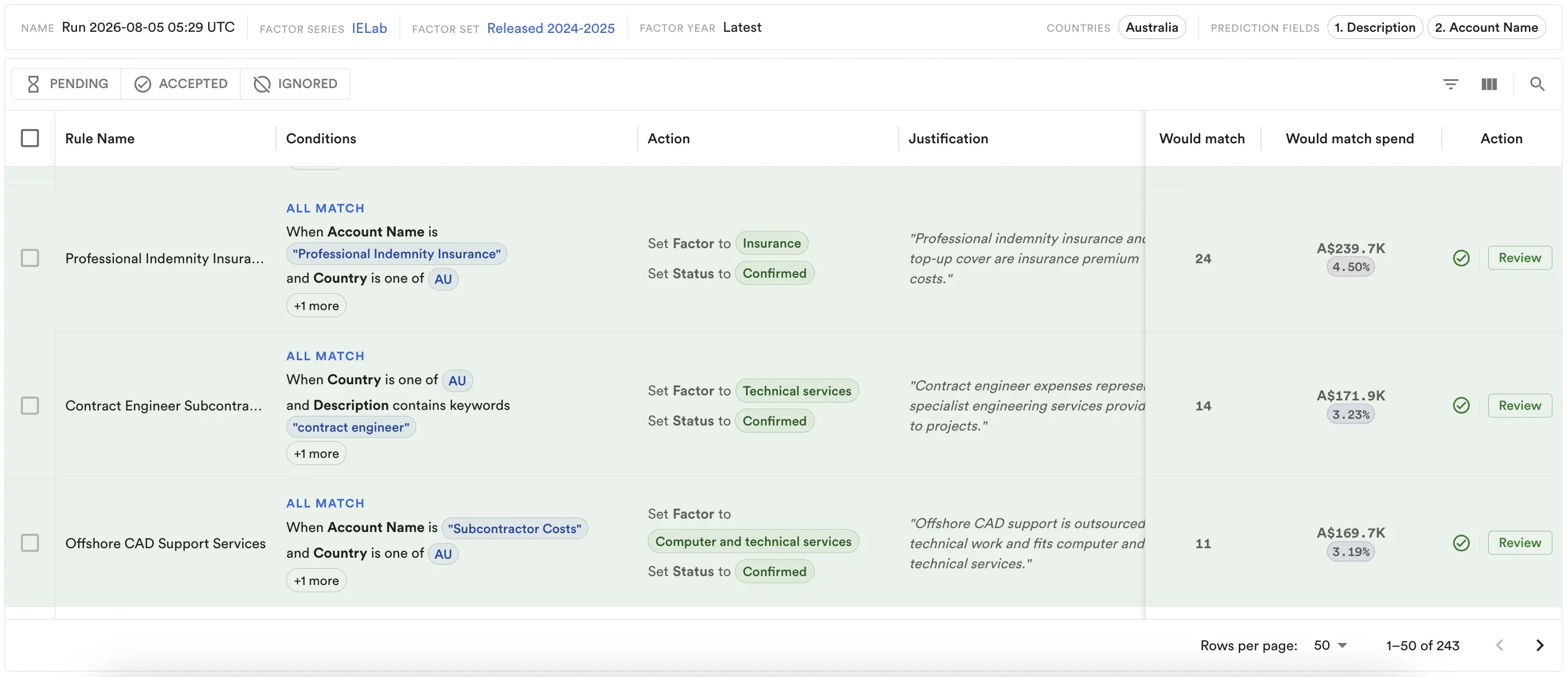
Reviewing suggested GL rules from a ledger analysis meant working through proposals that overlapped: several suggested rules covering the same slice of spend, because the analysis had split the same transactions across more than one group. Sorting out which rule should actually apply took longer than it should have.
GL rule suggestions now read your unclaimed ledger as a single account tree rather than a flattened grid, so every account gets a suggestion and the same spend is not proposed for more than one overlapping rule. Suggestions are also ordered by specificity, so a rule with several conditions is applied ahead of a broader catch-all, rather than being silently overridden by it. As before, nothing is applied to your rules automatically: you still review and accept each suggestion yourself.
Why this matters for your team
- Fewer late surprises: the Completeness screen surfaces data gaps while you can still chase the missing invoice, not after the auditor has already asked about it.
- A cleaner rule set: GL rule suggestions without duplicates or ordering conflicts means less time spent reconciling which rule actually classified a transaction.
For previous product updates and other articles, visit our Blog at avarni.co/blog