A cleaner audit trail for mixed transactions and smarter rule suggestions
Carbon accounting rules on your general ledger are only useful when they reflect how your business actually operates. This month, Avarni’s AI-powered rule suggestion workflow learns from your business context and supporting documents, gives you a real view of how much of the ledger you have covered, and lets you edit suggestions inline. Split transactions also get a reviewer-friendly view so a single transaction spanning multiple categories is easy to follow on screen and in your exports.
AI rule suggestions, grounded in your business
Last month's AI-generated rules saved time, but the suggestions could feel generic. The AI could only work based on what existed on your general ledger. But usually, additional context lies with the finance team about what certain accounts contain, or which suppliers are material.
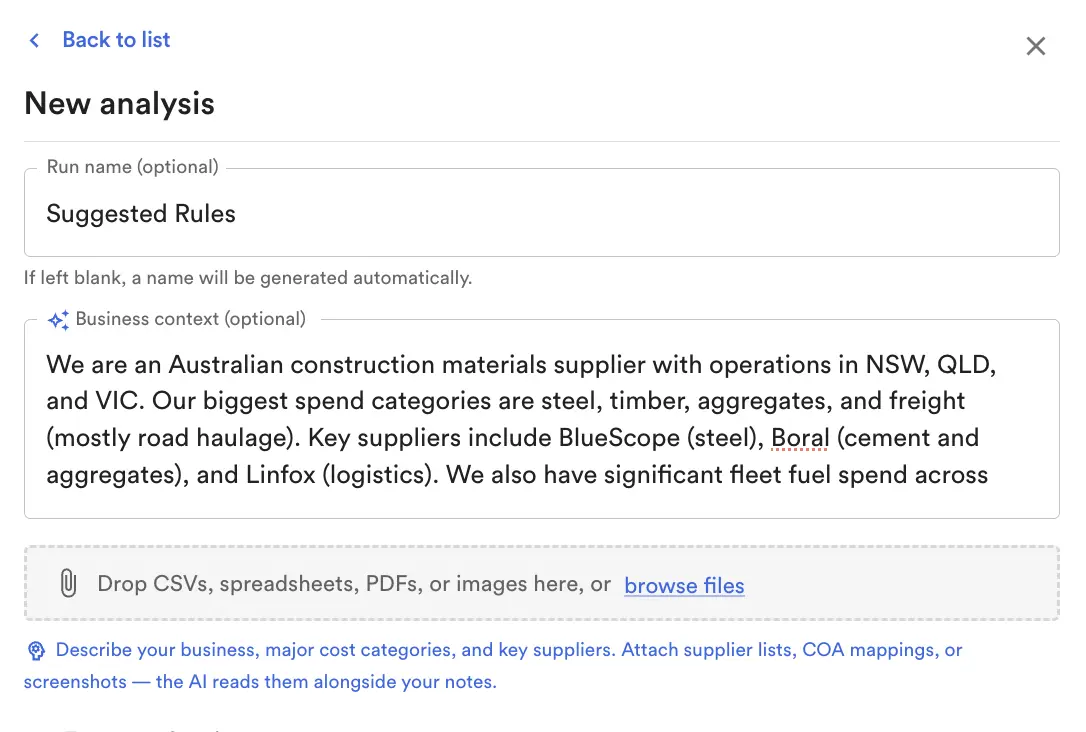
When you start a new analysis run, you can now provide business context in a short free-text field, and attach supporting files such as a vendor list, a chart of accounts cheat sheet, an invoice sample, or any other document that explains your business. PDFs, images, CSV, Excel, and TSV files are all supported. The AI uses this context when generating suggestions, so the rules that come back are recognisable rather than abstract.
The business context and attached file names are also surfaced on the run's metadata panel. If you return to a run a week later, you can see in one line what you originally told the AI, which makes the suggestions feel familiar instead of foreign.
A real view of ledger coverage on the suggested rules screen
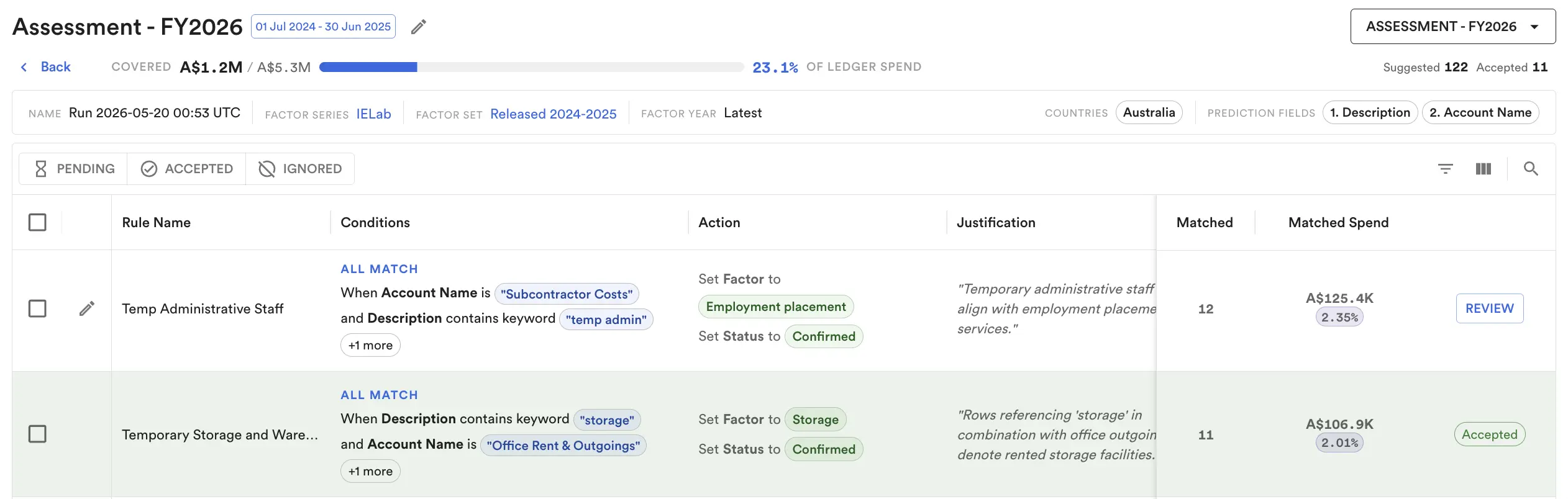
Reviewing AI suggestions one at a time gives you no sense of how much of the ledger you have actually handled. The Suggested Rules screen now shows a spend coverage panel at the top: accepted spend amount, percentage of ledger spend covered, suggestions accepted, and suggestions reviewed.
The focus shifts from "how many cards have I clicked through" to "how much of the ledger have I closed out". For finance teams running a completeness check, that is the question that matters.
Split transactions: a reviewer-friendly view
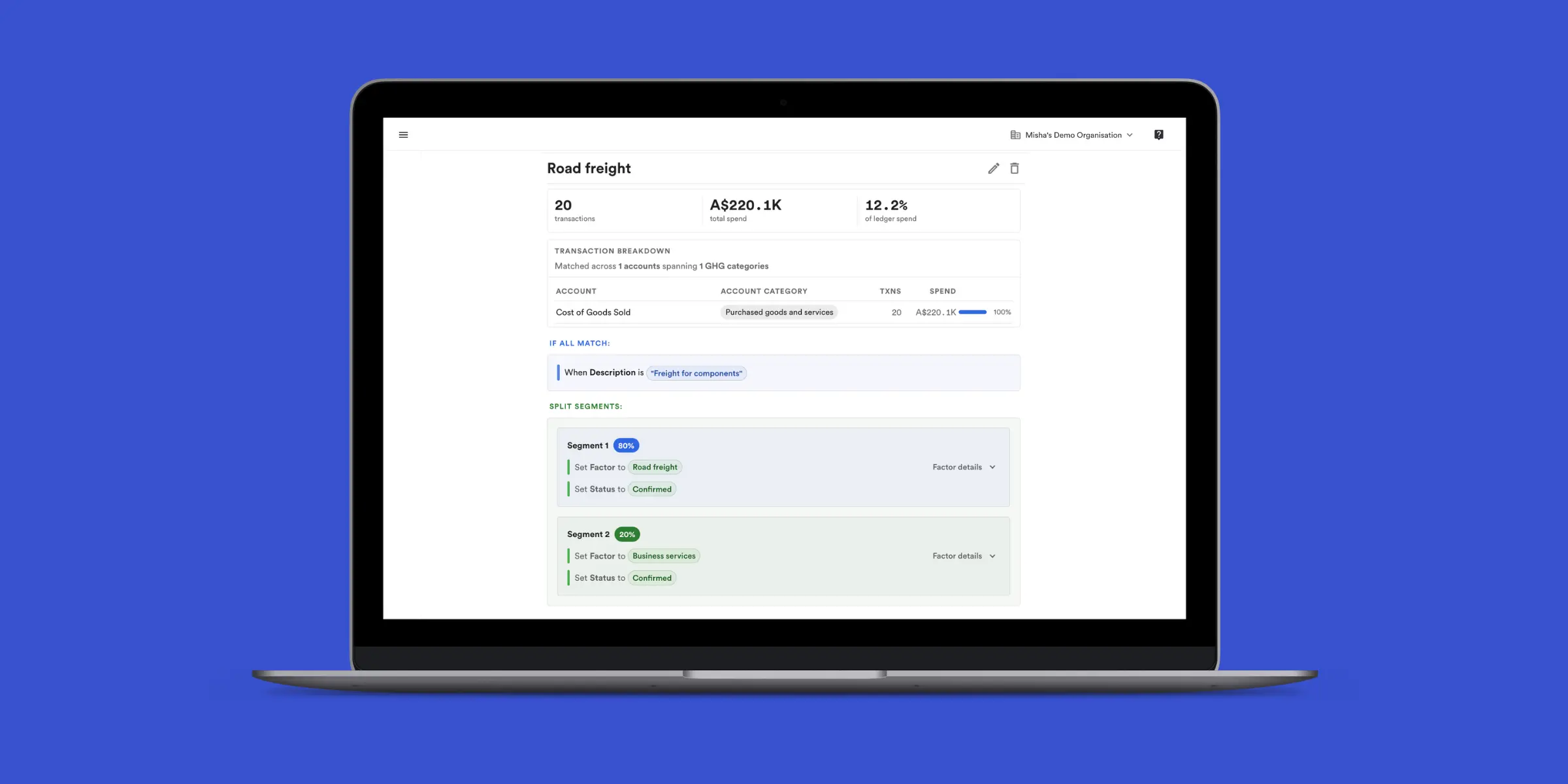
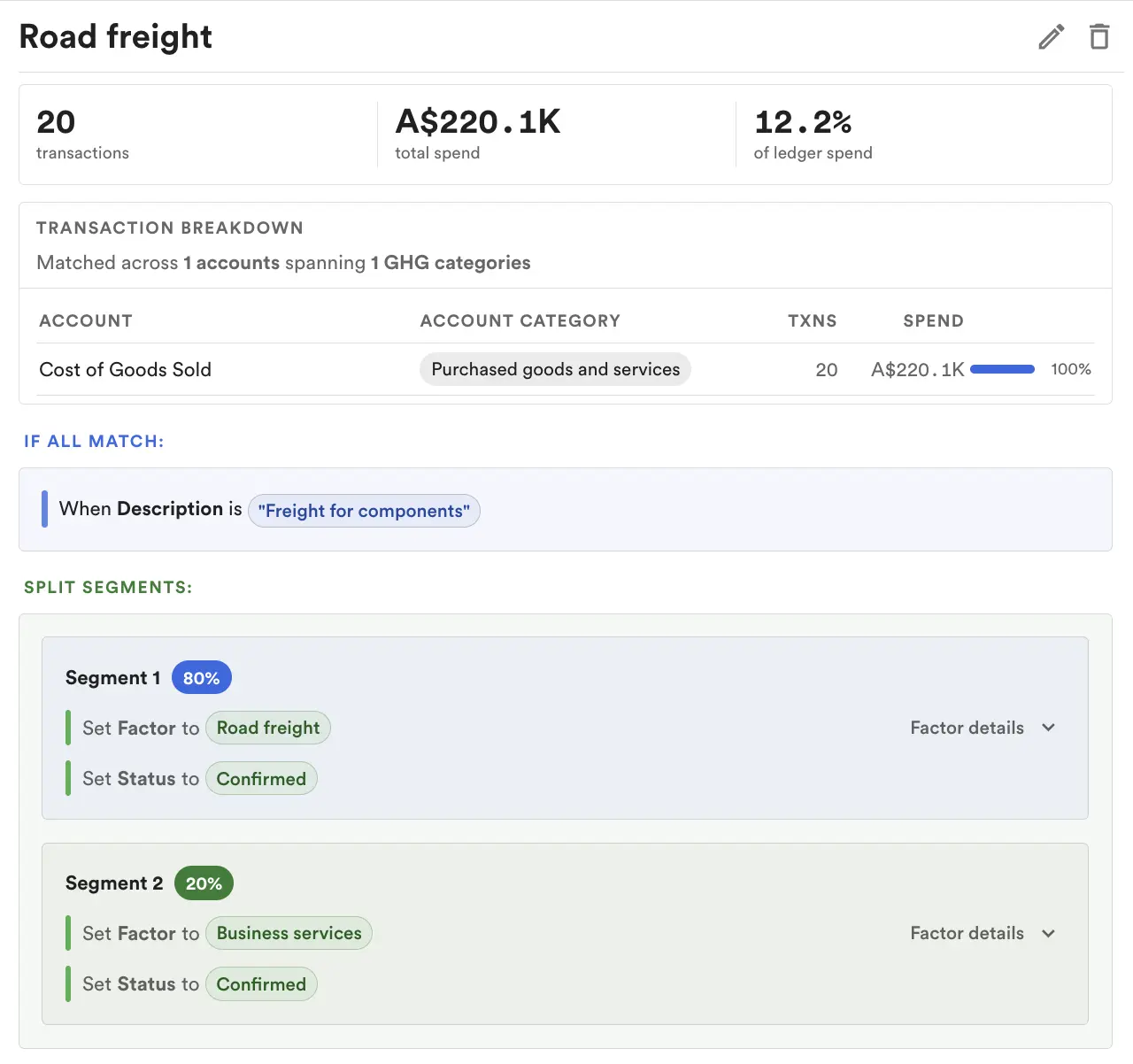
When a single invoice or transaction needs to be split across multiple categories, the General Ledger view now shows the parent row with an indicator, and lets you expand the row to see the child segments. Emission factors, GHG categories, and amounts on the child rows reflect each split independently, so your reviewer can verify the breakdown without leaving the GL screen.
Excel and CSV exports of the GL now handle split transactions correctly as well, so the supporting schedule your auditor receives matches what you see on screen.
Why this matters for your team
- More accurate suggestions on the first pass: Feeding the AI your business context and supporting documents reduces the number of edits your team has to make during review.
- A clear completeness picture: The coverage panel tells you how much of your ledger is actually classified, not just how many cards you have clicked.
- A defensible split transaction record: Reviewers and auditors can see how mixed transactions were broken down, in the UI and in the export.
For previous product updates and other articles, visit our blog.